A private chef website that takes the inquiry properly the first time.
Your site, plus an inquiry flow built around how private dining actually gets booked — date, headcount, where, what kind of dinner, dietary needs, budget range. It lands in a dashboard you run yourself. You update your own menus, prices and gallery. You don't message a developer to change a price.
Where private chef bookings go wrong
Most chefs I've looked at have the same setup: a nice-looking site, a contact form with three fields, and an inbox doing all the real work.
- "Hi, are you free in October?" — and now it's five emails before you know if it's six people or thirty.
- Dietary restrictions surface at the end, after you've already built a menu around scallops.
- People ask what you charge, you explain per-head pricing from scratch, again.
- A great inquiry arrives while you're on a job and gets answered three days later.
- Menus live in a PDF from last spring, because updating it means emailing whoever built the site.
None of that is a design problem. It's a question-order problem, and a who-can-edit-this problem.
Most people were DMing me through Instagram, texting me from referrals, and also DMing and commenting on my TikToks.
The most annoying part was it not being streamlined. It was coming from all different angles, all different platforms — trying to funnel all of those together was really stressful, to try and write it down and have a place that I could refer back to it.
Kaylee, Kinda French Kitchenon how bookings reached her before
What the inquiry flow asks for
Every question that would otherwise cost you an email round-trip, asked before they hit send:
The event
- Date, and whether it's fixed or flexible
- Headcount
- Location — their home, a rental, a venue
- What kind of dinner it is: intimate dinner party, celebration, corporate, weekly meal prep
The food
- Allergies and dietary restrictions, in a field that can't be skipped
- Anything they specifically want or specifically don't
- Service style — plated, family-style, grazing
- Budget range, so you both find out early if it isn't a fit
Your terms sit on the page, before the form. Minimum headcount. How far you travel and what you charge past it. Deposit and cancellation window. Whether groceries are billed separately. What a menu revision costs. When that's written down where people read it, the conversations that follow start from a much better place.
The parts you change yourself
This is the bit that matters most for a chef, and the bit most sites get wrong. Your business changes every season; your website shouldn't need a developer to keep up.
You edit
- Menus and sample menus — seasonal changes, new dishes, prices
- Service details and prices — change a price once and it updates everywhere it appears
- Journal posts — write up a dinner and its photos land in your gallery
- Blog or notes, if you want somewhere to write
The dashboard handles
- Inquiries on a card wall — new cards, in conversation, confirmed, declined
- Everything one client sent on a single screen
- Private notes only you see
- A calendar that fills itself from confirmed inquiries — block travel or a day off and the booking form stops offering it
The dashboard behind it
Inquiries land on a card wall, pinned by where the conversation stands — new cards, in conversation, confirmed, declined. Open one and you get everything they sent on a single screen: occasion, where they're cooking, party size, dates, and their message in their own words.
Two details that matter more than they sound. What the guest wrote can't be edited — it stays exactly as they sent it, so there's never a question about what was actually asked for. And there's a private note field beside it the guest never sees, for menu thoughts, quotes, and the allergy you need to remember.
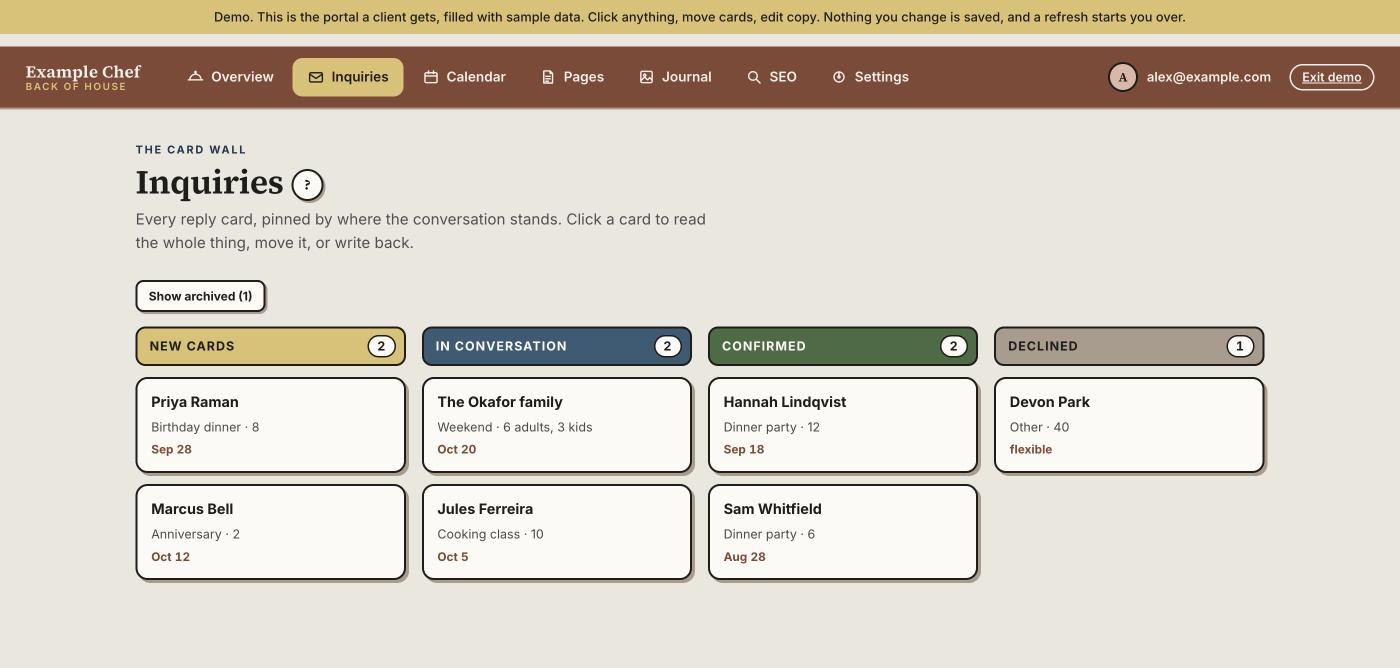
It's a real, working demo — not screenshots. Open it and click around: move cards, open one, edit the copy. Nothing you change is saved and a refresh puts it back, so there is nothing you can break.
If you want the reasoning rather than the buttons: how this dashboard was designed — the card wall, the two-way calendar, and why an empty screen must never hide a failure.
A private chef site I built, now live
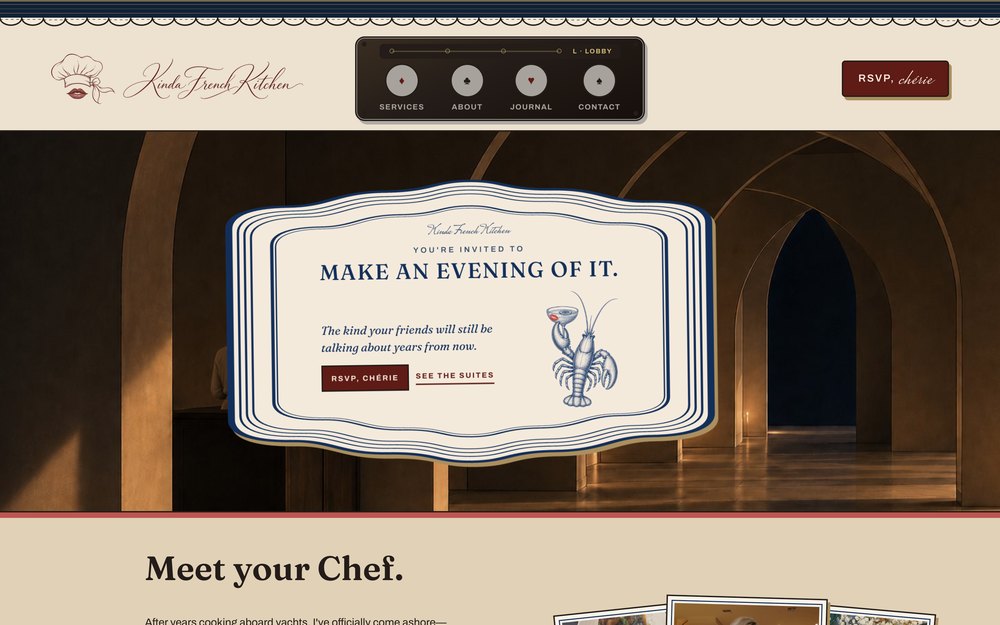
It went live in September 2026. The booking form on it is the flow described above: what a guest fills in arrives as a card she opens on her phone between services, not as an email she has to remember to answer.
Coming from someone who had no idea how to do anything — you gave me a little home portal and explained everything so clearly. The fact that I was able to move stuff around on my own before even chatting with you… I feel so capable.
And it's a talking piece. I've had multiple people message me and tell me how interested they were in the layout itself and all the small details.
Kaylee, Kinda French Kitchenon running it herself
Her dashboard stays private — it holds real client inquiries, which is exactly why the demo above exists.
What it does, and what it doesn't do yet
Today
- Takes inquiries with full event and dietary detail
- A calendar that fills from confirmed inquiries, and blocks dates you mark off
- Menus, service details, journal and gallery you edit yourself
- Keeps notes and history against each client
Not yet
- Taking deposits by card on the site
- Instant self-serve booking without you confirming
- Editing your own testimonials — they're on your site, but I change them for you
- Invoicing and grocery cost tracking
I'd rather say that here than after you've paid. If you need one of those, tell me — I built the back end, so I can build to fit, and you'd get a fixed quote before anything starts.
What it costs
Four to six weeks for a full build. Three rounds of changes included. Fixed quote in writing before anything starts, and your domain stays in your name on your card. Full pricing and what's included →
Questions chefs ask
- Can I change my menus without asking you?
- Yes — that's the point of the dashboard. Menus, prices, service details, and journal posts that feed your gallery. You log in and edit; change a price once and it updates everywhere it appears. No ticket, no waiting on me.
- Can I block out dates I'm not available?
- Yes. Close inquiries entirely when you're booked out, or mark dates unavailable so nobody asks for a night you're already working.
- What if I do more than one thing — dinners, meal prep, classes?
- The inquiry form branches. Someone asking about weekly meal prep gets different questions than someone planning a birthday dinner for twenty, and they land in the same dashboard, tagged.
- Do I own it?
- Yes. The site, the code, the client data, and your domain — registered in your name, on your card. It should never need anyone's permission to stay yours.
- What happens to inquiries if I stop paying the care plan?
- Take the handover for $400 and it moves to your own accounts — hosting, database, domain, all in your name — and it keeps running without me. Nothing about this is built to trap you.
Tell me how you take bookings now
What you cook, how people reach you, and what you're tired of retyping. I'll tell you straight whether I'm the right person and what it would cost.
Start a project